Responsive Content Editing
This feature improves the editing experience inside the Divi Visual Builder by preventing accidental responsive changes and improving clarity while switching between device views.
Important Note
This feature works inside the Divi Visual Builder. It does not change the frontend layout. To see it in action, open the page in the Visual Builder and switch between Desktop, Tablet, and Phone views.
Since this plugin works on the admin side, you need to be logged in to the WordPress site to experience its features. Please use our admin demo sandbox link to create a temporary site to explore the features.
Disable Inline Content Editing Per Breakpoint
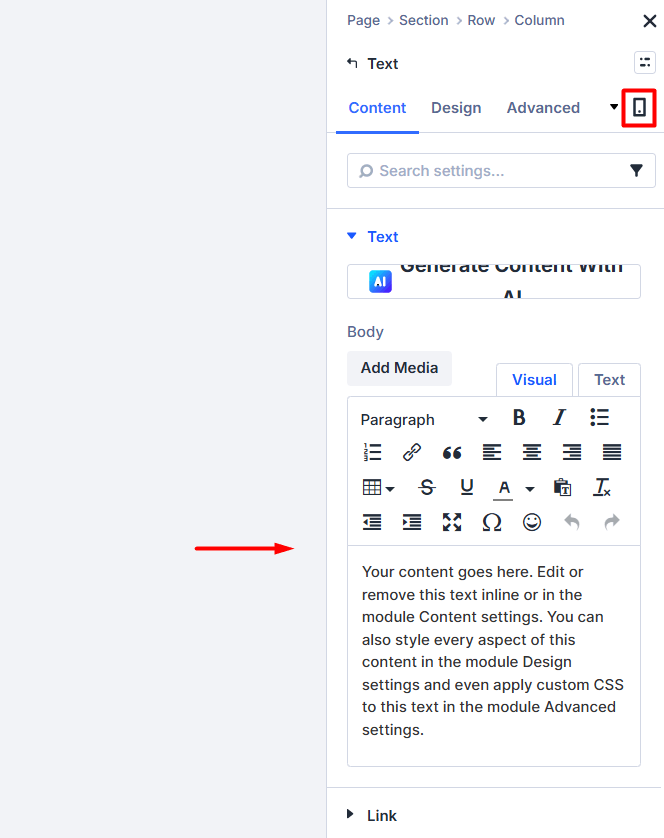
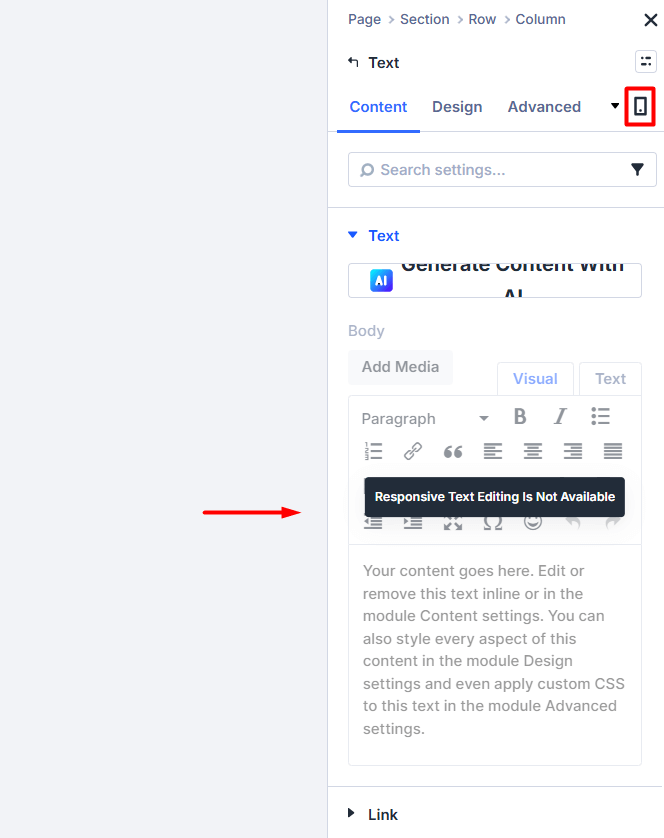
This example demonstrates how inline content editing can be disabled to prevent unintended changes when switching between responsive views.
Before: Inline Editing Enabled (Default Divi Behavior)
After: Inline Editing Disabled Using Responsive Helper
Disable Hover State Editing
This example prevents accidental editing of hover states while working inside the responsive editor.
Before: Hover State Editing Enabled (Default Divi Behavior)
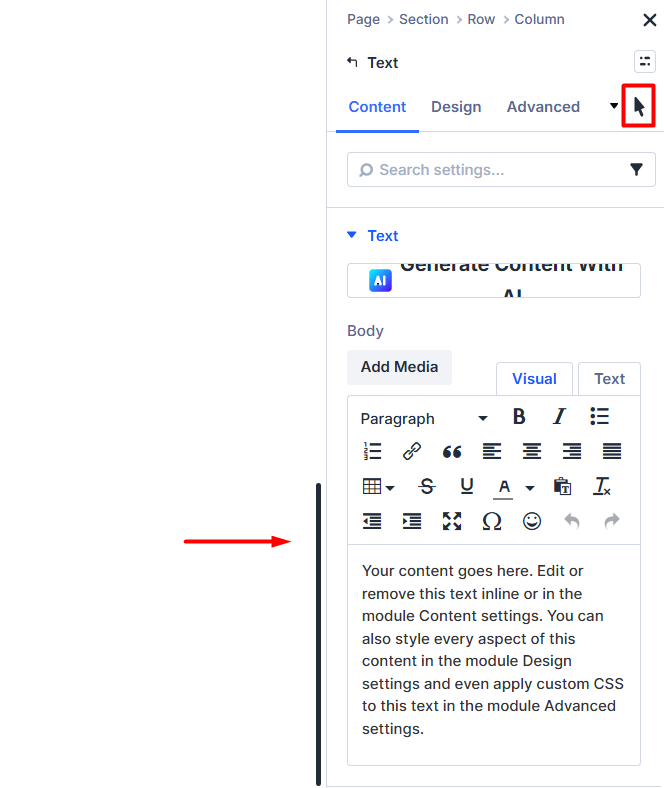
After: Hover State Editing Disabled Using Responsive Helper
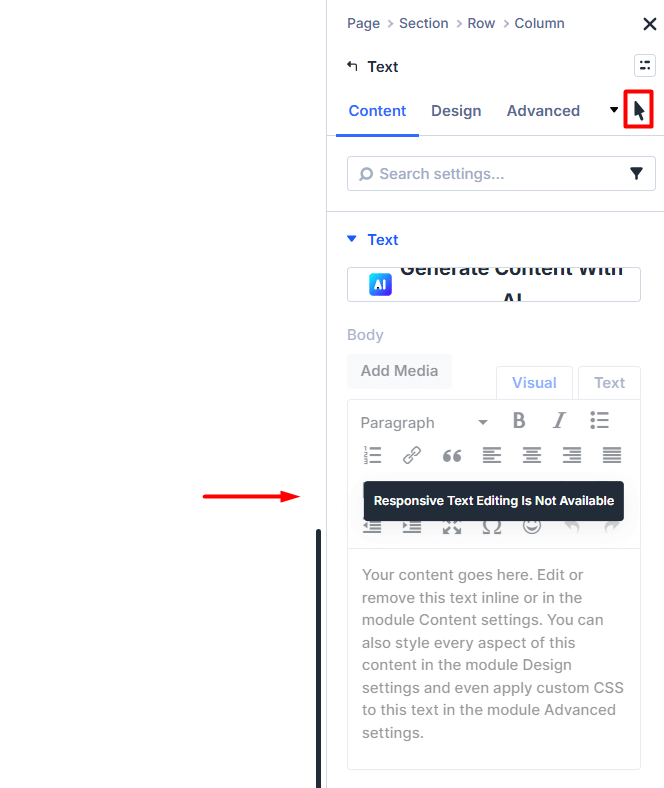
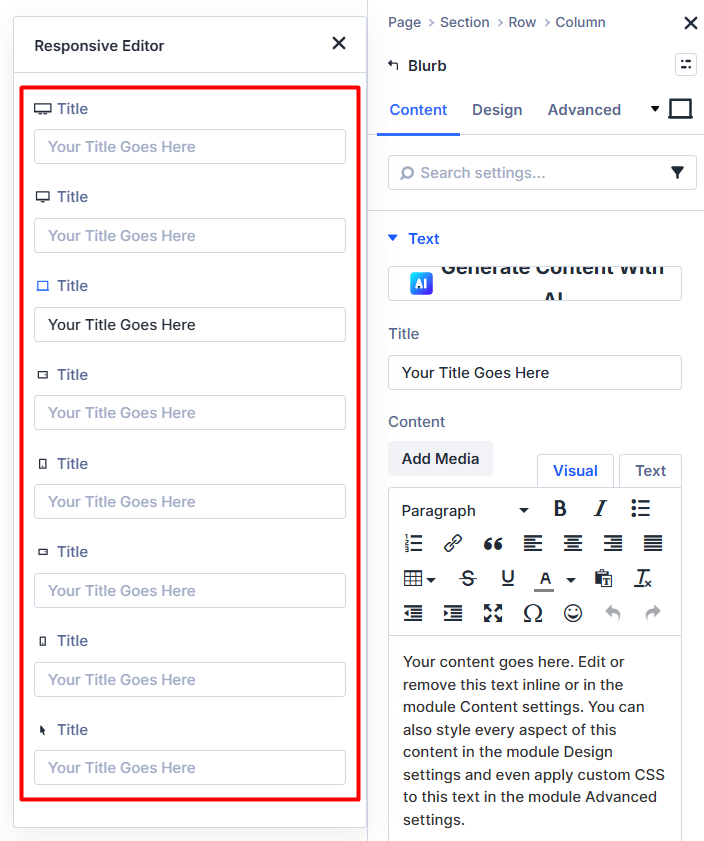
Control Fields in Responsive Editor
This example shows how certain responsive editing fields can be disabled or restricted for better editing control.
Before: All Responsive Editing Fields Visible
After: Responsive Fields Controlled Using Responsive Helper (Tablet and Mobile set to hidden)
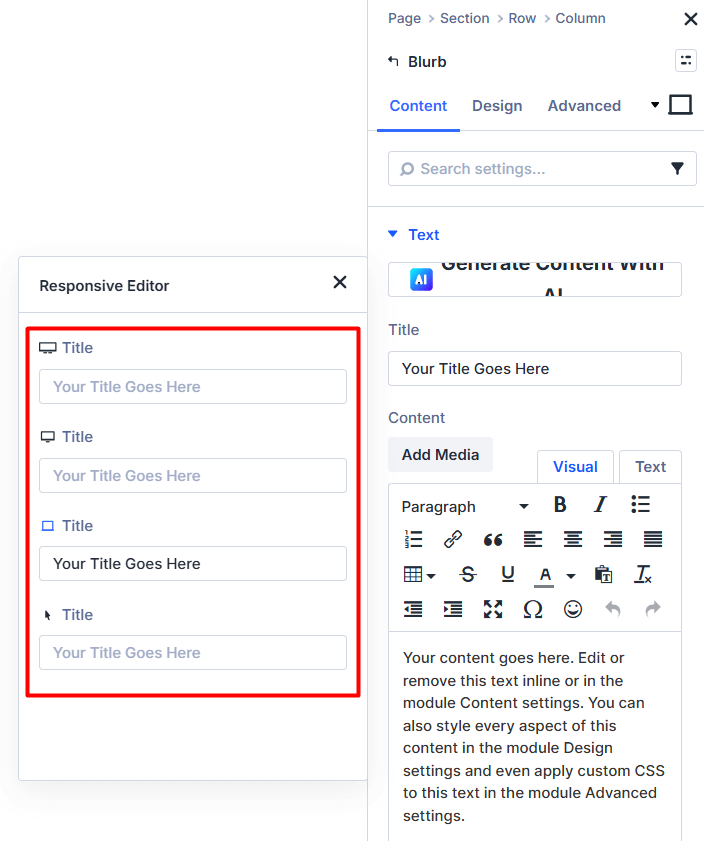
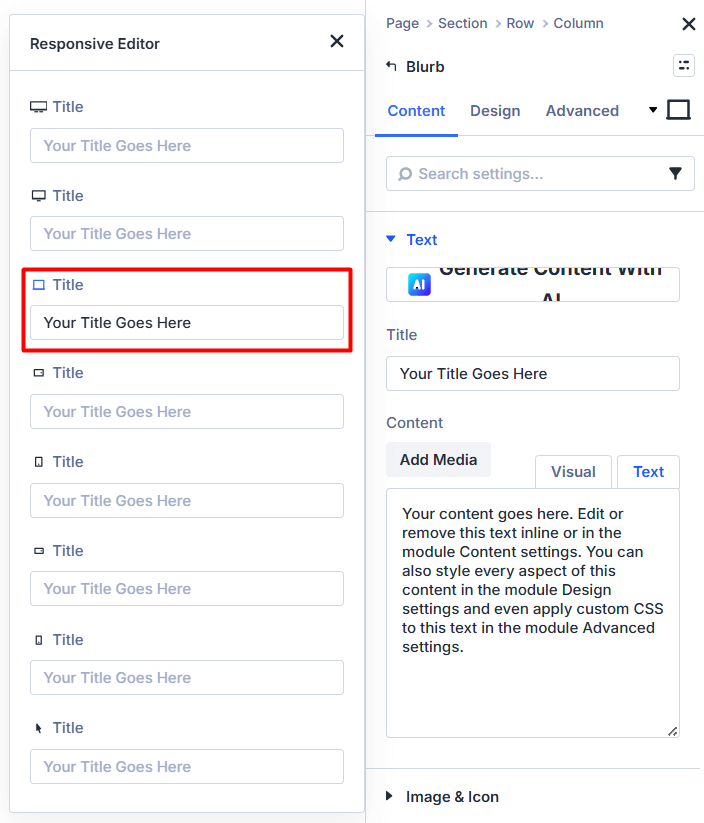
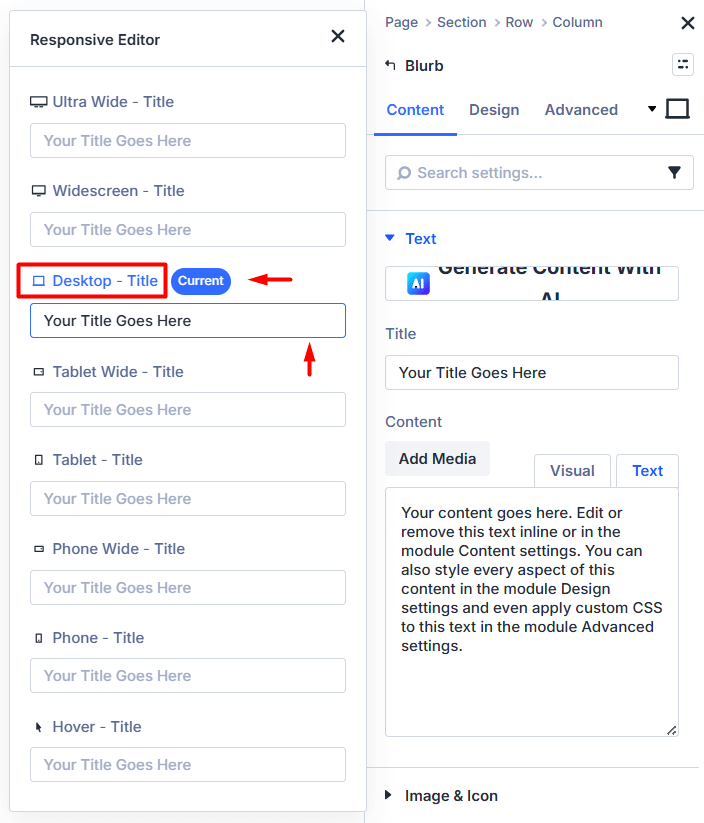
Improve Clarity in Responsive Editor
This example improves clarity when switching between device views by clearly separating responsive editing states.
Before: Standard Responsive Editing View
After: Improved Responsive Editor Clarity Enabled
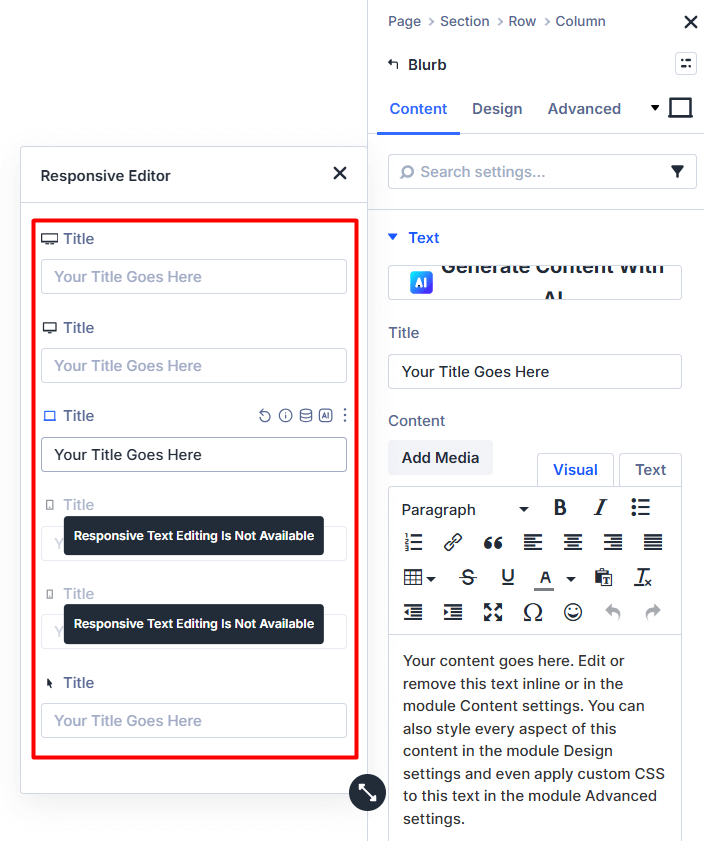
Control Fields in Responsive Editor (Hide vs Gray Out)
This example shows how fields appear in the Visual Builder when they are set to hidden or disabled using Responsive Helper settings.
Hide Option
Gray Out Option
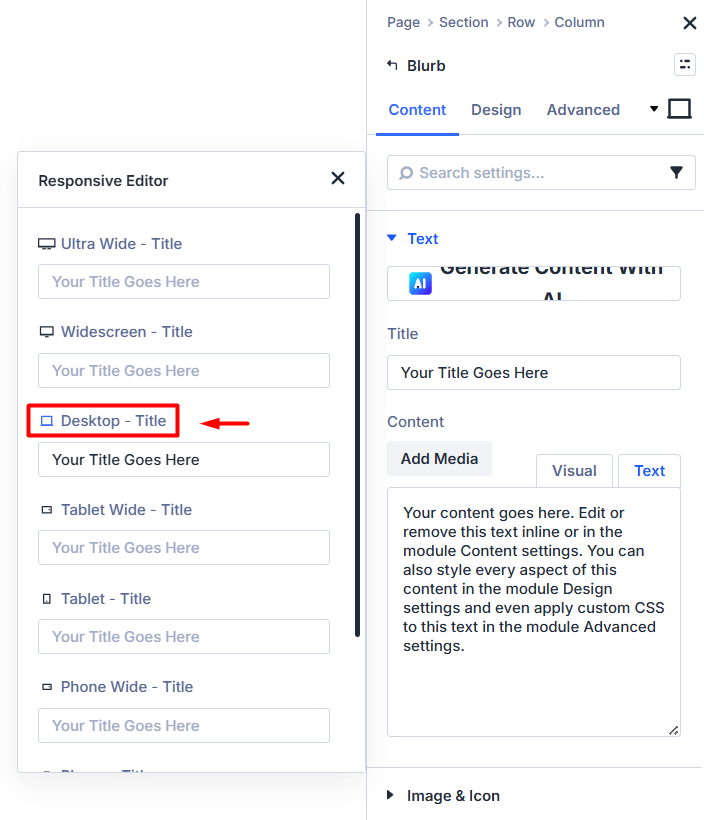
Improve Clarity in Responsive Editor (All Three Features)
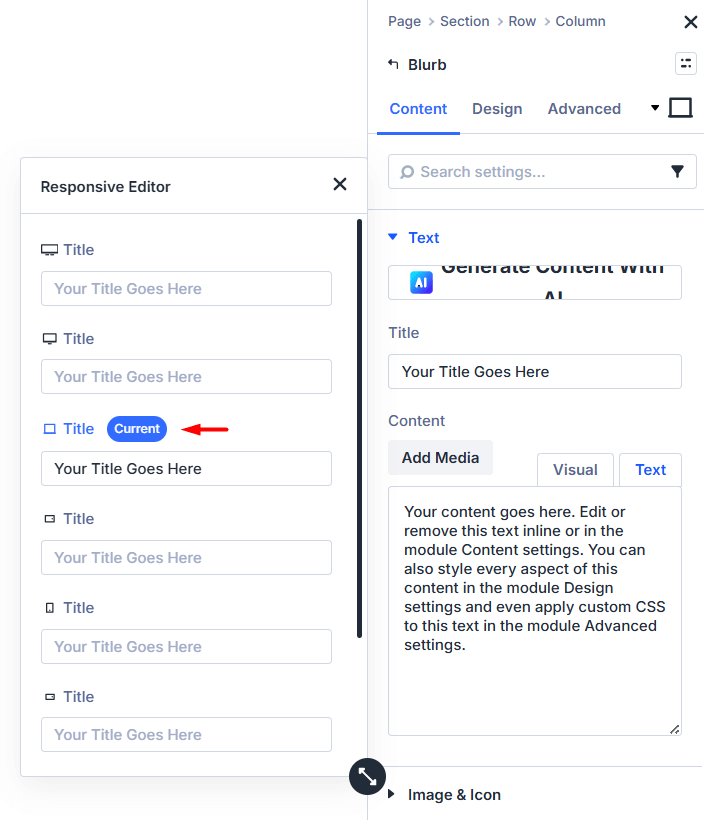
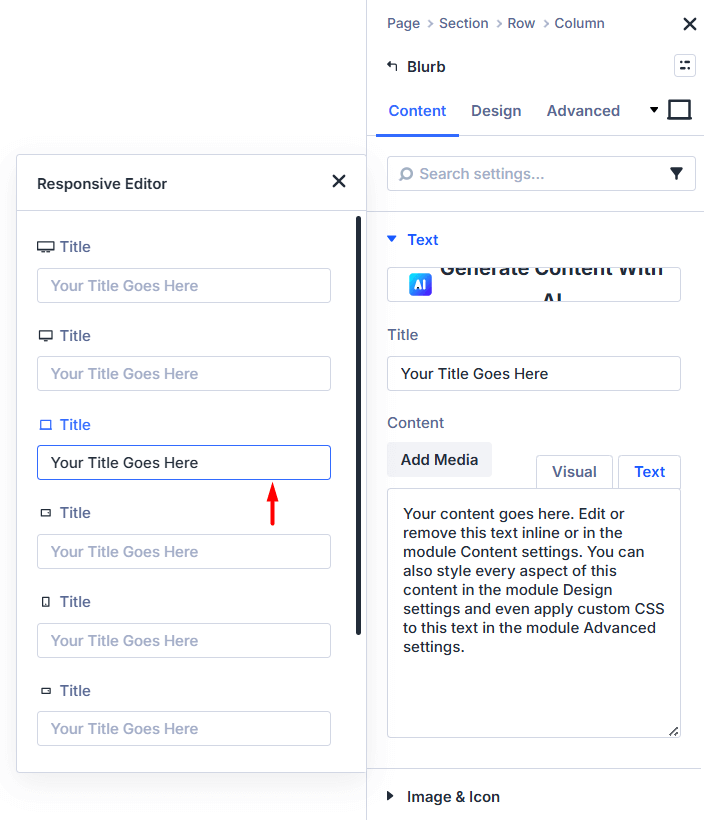
This example demonstrates how Responsive Helper adds visual clarity in Divi 5’s Responsive Editor by showing breakpoint labels, a "Current" badge, and color highlighting for the active device view.
Display Breakpoint Label Beside Each Field In Responsive Editor
Show "Current" Badge On Current Breakpoint In Responsive Editor
Show Builder Color Highlight On Current Breakpoint In Responsive Editor
Breakpoint Switching Intentional
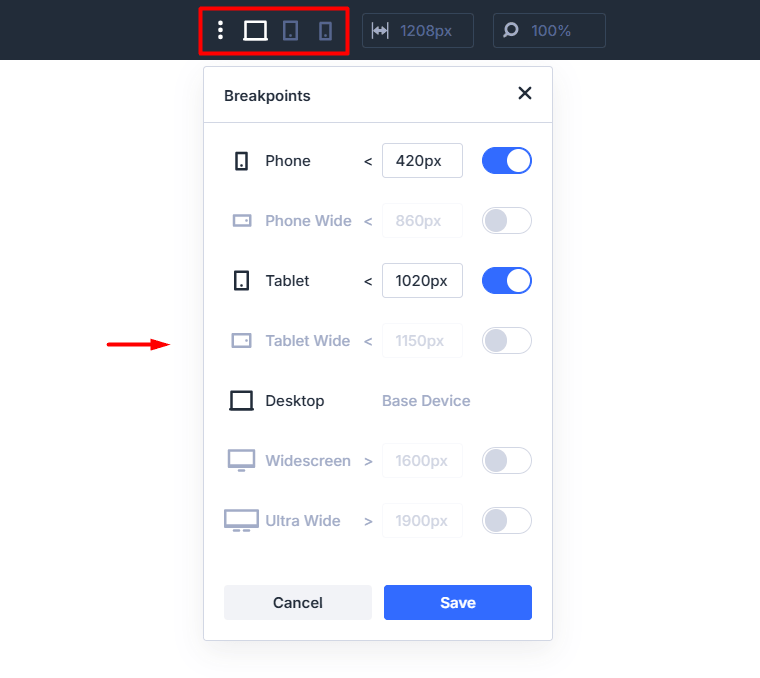
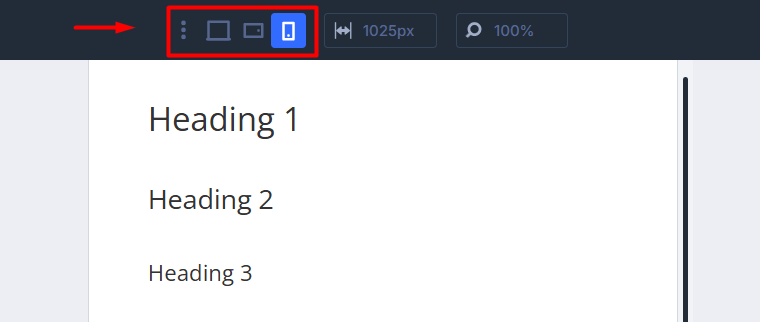
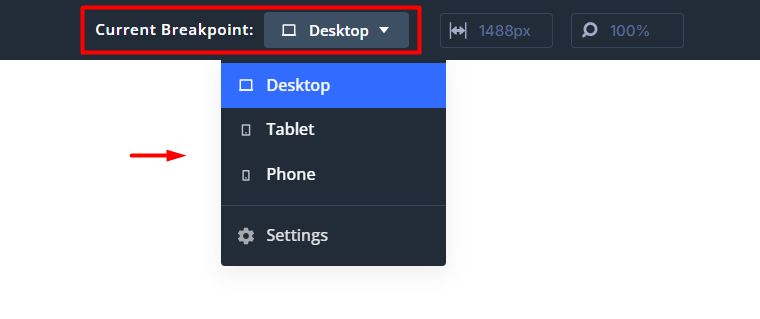
This feature makes breakpoint switching clearer in the builder. You can highlight the active breakpoint or replace the icons with a labeled dropdown to easily see and switch between breakpoints.
Default Breakpoint Icons
Highlight The Active Breakpoint Icon
Dropdown Selector
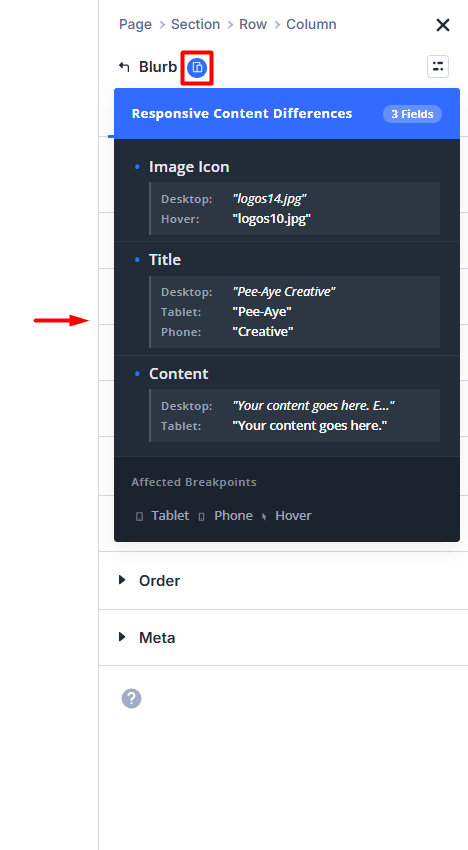
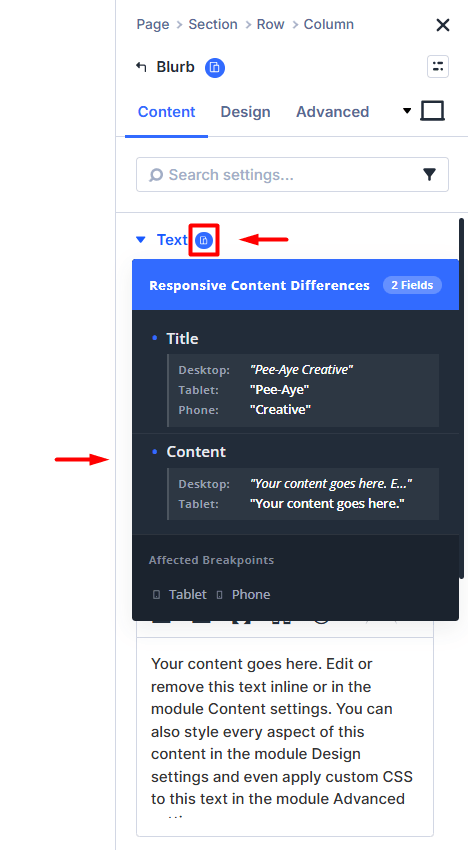
Responsive Content Change Indicators
This feature shows a badge in the module settings when content differs between breakpoints. The badge appears next to the module title and option groups, and a tooltip shows which values are different across devices.
Responsive Content Indicator On Module Title
Responsive Content Indicator On Content Group